iPlayer Lite- Video Plalyer
- 3.1
- Rating
- 5.00M
- Installs
- Free
- Price

 Analysis by App-foxy
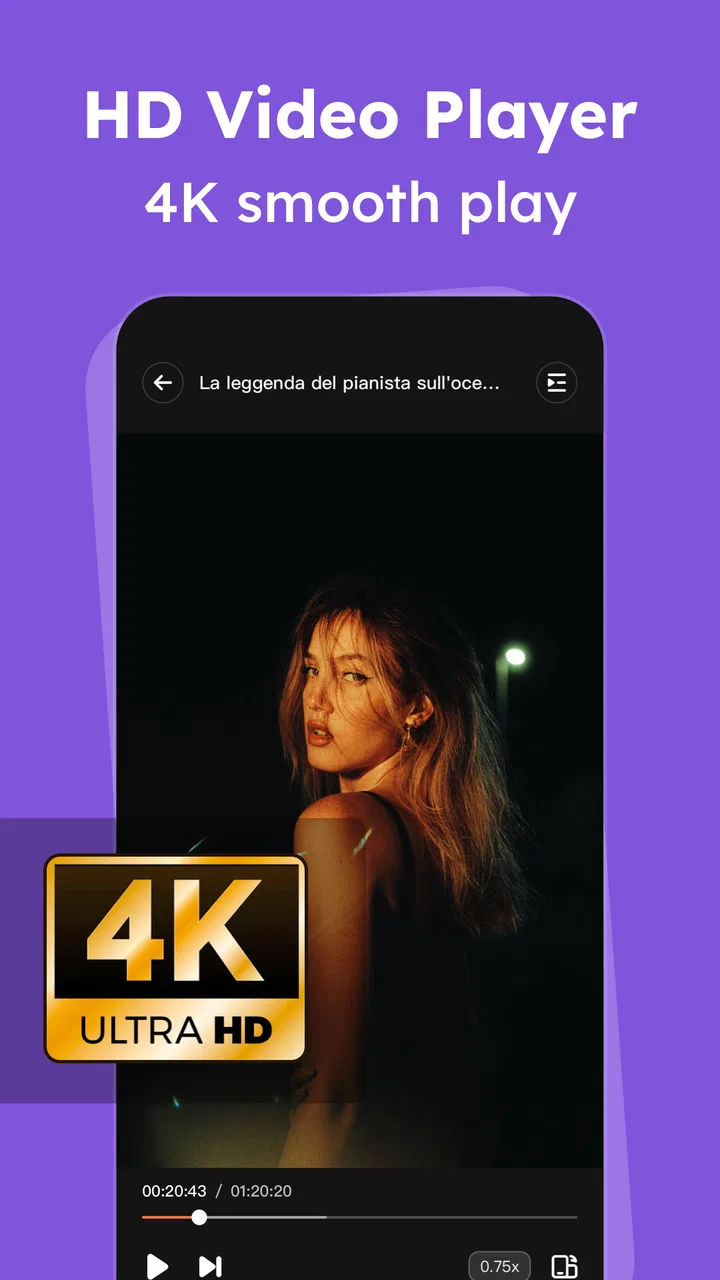
I spent time with iPlayer Lite as a straightforward Android video player, and my overall impression is fairly clear: it is most useful when you want a simple place to open local video and audio files without turning your phone into a full media-management project. The app sits in the Video Players & Editors category, comes from snap game team, and is free to install. Its appeal is convenience rather than a long list of advanced tools.
That distinction matters. iPlayer Lite is not the kind of app I would choose because I wanted a complete streaming hub, a serious editing suite, or a carefully organized media library. I would choose it for a narrower job: opening files already stored on my device and keeping personal videos in a more private-feeling space than the main gallery. Its strongest quality is its focused, uncomplicated purpose.
The app has an average rating of 3.1 from around 8 thousand ratings, so the public reaction is mixed rather than universally enthusiastic. It has passed 5 million installs, which suggests that the basic idea has reached a substantial audience. Still, popularity does not automatically make it the right player for everyone. My experience points to an app that can be handy in the right situation, but one that deserves realistic expectations.
You May Also Like

 Blood Strike: 2.5 Anniversary
Blood Strike’s Loadouts Turn Every Drop Into a Tactical Gamble
A close look at Blood Strike’s custom loadouts: how fast access to signature weapons reshapes its battle royale rhythm, rewards preparation, and narrows the gap between fights.

 Pandora - Music & Podcasts
Pandora’s Music Is Easy to Start, but Harder to Recover
Pandora’s strength is its low-effort path from a seed to a station. Its weak spot is how much confidence it asks you to place in connection, setup, and quiet recovery.

 8 Ball Pool
 Is Built on Rivalries, Rematches, and Routine
A close look at the rivalries, rematches, shared routines, and unanswered safety questions that turn a quick pool match into a persistent mobile community.

 Samsung Music
’s Quiet Strength Is Playing What You Already Own
Its reach comes less from spectacle than from dependable access to a personal library. That simplicity is both the app’s strongest retention engine and its ceiling.

 AccuWeather: Weather Radar
AccuWeather Review: A Quick, Clear Forecast for Everyday Decisions
For everyday plans, the best forecast is the one you can understand quickly. AccuWeather makes rain timing, radar, and local conditions easy to act on, with a few trade-offs.

 Hill Climb Racing
Why Hill Climb Racing Still Turns Crashes Into One More Run
A tiny car, a bumpy hill and one more upgrade: Hill Climb Racing keeps resurfacing because its simple chaos makes every near-miss feel personal.
More From Our News Desk



How iPlayer Lite feels in everyday use
I focus first on whether a local player makes sense for your routine: the key question is whether you already keep videos and audio on your phone, rather than relying mainly on streaming. I also consider how much separation you want between personal clips and the general gallery, because that affects whether the app’s private-video space is useful or merely another place to manage files. A quick test with your own media is the clearest way to judge the fit.
A practical player for files already on your phone
The most natural way to use iPlayer Lite is to treat it as a local media tool. If I have a video saved on my phone and want to watch it without opening a broader photo application, a dedicated player feels more direct. The app is designed around playing MP4 video and audio files, so it makes sense for downloaded clips, recordings, transferred videos, and other media that I already own or have stored locally.
This workflow is especially useful when my gallery is crowded with photographs, screenshots, messaging attachments, and short clips. Instead of searching through everything, I can use a player-oriented app as a separate doorway into video. That separation may sound minor, but it can make repeated viewing less irritating. I am not asking a photo gallery to behave like a media player, and I am not asking a streaming service to handle a file that is already on my device.
One practical tip is to decide before installing whether most of your media is actually local. If your viewing habits revolve around online platforms, iPlayer Lite will not replace those services. Its value appears when the file itself is the starting point. That makes it a better fit for personal recordings, offline clips, and videos moved from another device than for someone who expects recommendations, subscriptions, or online discovery.
The private-video angle is useful, but it is not a complete security plan
One of the more interesting parts of the app’s positioning is its box for private videos. I can see a useful everyday scenario here: perhaps I have family recordings, personal projects, or videos I do not want mixed into the normal camera roll. Keeping those files inside a separate player can reduce accidental browsing and make them easier to find when I want them.
However, I would not treat that separate space as proof that every file is protected in the strongest possible sense. A private-looking area and genuine device-level security are not automatically the same thing. If the videos are sensitive, I would still use the phone’s own lock, keep the operating system protected, and think carefully before sharing the device with someone else. The app can help with organization and casual privacy, but I would not rely on it alone for confidential material.
There is also a useful habit for this kind of setup: keep only the videos you actively want separated in the private area, rather than moving every clip there. A smaller collection is easier to manage and less likely to become another confusing folder. iPlayer Lite works better when I use its private-video concept deliberately instead of treating it as a replacement for a secure vault.
Compatibility expectations should stay modest
The store summary highlights HD video playback and support for MP4 and audio files. That gives me a reasonable starting point, but it does not mean every video I encounter will behave identically. Video files are not defined only by their extension; their internal encoding, audio track, resolution, and other technical details can affect playback.
For that reason, I would test the app with the files I actually care about before moving a large collection into it. A short sample is enough to check whether the picture appears correctly, whether sound stays synchronized, and whether the controls feel comfortable. This is a more reliable approach than assuming that an MP4 label guarantees identical results for every file.
The app requires Android 6.0 or newer, which keeps it accessible to many older devices as well as current phones. That is helpful if I am trying to revive an older handset as a media device. At the same time, an older phone may have its own limits with high-resolution video, storage speed, or battery life. The application requirement is only one part of the playback experience.
Where it differs from the usual alternatives
Compared with a standard gallery, iPlayer Lite offers a more focused route to video. A gallery is excellent for browsing photos and recent memories, but it can become cluttered when video is mixed with everything else. A dedicated player can make repeated viewing feel more intentional.
Compared with a broad media player, the attraction here is restraint. Many established players offer extensive format support, network playback, subtitles, audio controls, playlists, casting, and customization. Those tools are valuable, but they can also make a simple task feel heavier. If I only want to open ordinary local media, iPlayer Lite’s narrower purpose may be easier to understand.
The trade-off is that a more established, feature-rich alternative may be a safer choice for unusual files or demanding playback needs. If I regularly watch media from network storage, depend on subtitle controls, or need detailed audio and video adjustments, I would look beyond this app. iPlayer Lite makes more sense for someone who values a short path from stored file to playback than for someone building a complete home media system.
Small workflow choices that improve the experience
I found that the app makes the most sense when I organize my phone before opening it. Clear filenames and sensible folders matter more than they might in a streaming app, because local playback depends on being able to identify the right file quickly. Renaming a group of recordings by subject or occasion can save more time than repeatedly scrolling through an unstructured list.
Another useful approach is to use it as a temporary viewing station. For example, if I transfer several clips from another device, I can watch and sort them through the player first, then remove the ones I no longer need. This avoids filling the main gallery with duplicates and gives the files a clear stopping point. It is a simple workflow, but it matches the app’s local-player identity well.
I would also avoid judging the app only by a single short clip. A player can seem fine during a quick test and become less convenient when used with a longer recording or a mixed folder of video and audio. Trying a few files with different lengths and audio arrangements gives a better sense of whether it belongs in my regular routine.
The meaningful limitations
The biggest limitation is not that iPlayer Lite tries to do too little; it is that its focused design may leave out the tools some users consider essential. People who expect a polished library, advanced sorting, broad codec coverage, or deep playback controls may find the experience restrictive. The app’s simple purpose is an advantage only when simplicity matches the task.
I also would not install it expecting video editing simply because it belongs to the Video Players & Editors category. Its clear role is playback and personal video storage, not a full editing workflow. If I need trimming, transitions, captions, or export controls, I would use an editor built specifically for those jobs. Trying to force iPlayer Lite into that role would lead to disappointment.
The free entry point is convenient, but in-app purchases range from $1.99 to $29.99 per item. That does not automatically make the app poor value, yet it means I would pay attention to what is offered before committing money. For a player whose main appeal is basic local playback, I would want any paid option to solve a problem I genuinely have rather than simply add a purchase to an otherwise simple setup.
That pricing detail also changes my recommendation for occasional users. If I only watch a few local files every month, the free version may be enough to evaluate whether the app fits. If I expect a premium, uninterrupted, or more capable media experience, I would compare the available purchase choices with other players before spending. The right decision depends on whether iPlayer Lite’s specific private-video and local-playback workflow matters to me.
Who should install it
I think iPlayer Lite is best suited to Android users who want a dedicated place for local MP4 video and audio, especially those who dislike having personal clips mixed into a general gallery. It can also suit someone using an older compatible phone as a simple offline media device, provided the files themselves play comfortably on that hardware.
It is a reasonable option for a person who wants to hand a phone over for viewing without exposing the entire photo collection, although I would still use normal device security. It may also help someone who receives or transfers videos regularly and wants a separate playback routine instead of opening each file through whichever application happens to claim it first.
I would skip it if my main needs are online streaming, professional editing, advanced media-server access, unusual formats, or highly detailed playback customization. In those cases, a streaming service, a dedicated editor, or a more established full-featured player would probably be a better match. Installing a lightweight local player will not simplify a workflow that is fundamentally built around online content or complex media management.
What to know before making it your main player
A sensible first step is to install the free app and test the exact files you plan to watch. Check a normal video, a longer recording, and an audio file. Then try the private-video area with a non-sensitive sample before moving personal material into it. This approach answers the practical questions that matter most: whether your files open correctly, whether navigation suits you, and whether the separate storage concept is genuinely useful.
I would also keep a backup of anything important. A player should not become the only place where memorable recordings exist. Local media is easy to overlook, and moving a file into a separate area can make it feel safer than it really is. Keeping an additional copy in a trusted location is a good habit regardless of which playback app I use.
The current version is 2.1.0, and the application is rated for Everyone. Those details make it approachable for a broad range of users, but they do not remove the need to check how the app fits a particular household. Parents, shared-device users, and anyone handling sensitive recordings should still think about device access and file backups rather than relying on an app label alone.
My final view
After using iPlayer Lite as a local media player, I see it as a practical specialist rather than a universal answer. It gives me a direct way to play stored video and audio, and its separate space for personal videos can be genuinely convenient when my gallery feels too public or too cluttered. Those are meaningful strengths, particularly for offline viewing.
At the same time, the mixed 3.1 average rating is a useful reminder to keep expectations grounded. This is not the app I would choose for an ambitious media setup or a demanding editing workflow. Its format and feature expectations should be tested against my own files, and I would think carefully before paying for optional items when basic playback is all I need.
My recommendation is conditional but positive: if you want a free, focused Android player for ordinary local media and appreciate a separate place for personal videos, iPlayer Lite is worth trying. If you want broad compatibility, advanced controls, streaming integration, or serious editing, I would choose a different tool. For the right user, iPlayer Lite- Video Plalyer is useful precisely because it stays close to one everyday job; for everyone else, that narrow focus may be its main weakness.
FAQs for iPlayer Lite- Video Plalyer
01What video formats does iPlayer Lite support?
iPlayer Lite is designed to support a wide range of video formats, including MP4, AVI, MKV, and MOV. This ensures you can play most of your stored videos without needing to convert them. For optimal performance, ensure your device has the latest updates as format support may depend on your operating system.
02Does iPlayer Lite offer subtitle support?
Yes, iPlayer Lite provides robust subtitle support, allowing you to load external subtitle files like SRT, SSA, and SUB. You can easily adjust subtitle synchronization, size, and color to enhance your viewing experience. Make sure your subtitle files are correctly named and stored in the same folder as your video files for seamless integration.
03Is iPlayer Lite free to use, or does it have in-app purchases?
iPlayer Lite is free to download and use, offering a basic set of features at no cost. However, it may include in-app purchases for additional features such as premium themes, ad-free experience, and advanced playback options. Always check the app store listing for detailed information on pricing and available features.
04Can I use iPlayer Lite to stream videos online?
While iPlayer Lite is primarily designed for playing local video files, it also includes options for streaming online video content. You can input URLs directly into the app to stream videos from the web. Ensure you have a stable internet connection to avoid buffering issues during playback.
05What are the system requirements for installing iPlayer Lite?
iPlayer Lite requires Android 5.0 or iOS 11.0 and above, ensuring compatibility with most modern devices. It is optimized for both smartphones and tablets, but features may vary slightly between different operating systems. Make sure your device has sufficient storage space available for a smooth installation and operation.
Pros
- Lightweight and fast loading times.
- Supports a wide range of video formats.
- Easy-to-use interface for all ages.
- No intrusive ads during playback.
- Customizable settings for video quality.
Cons
- Limited advanced features for power users.
- No support for live streaming.
- Occasional bugs in subtitle display.
- Requires internet for initial setup.
- No built-in file manager for videos.

iPlayer Lite- Video Plalyer
Gallery